
PDD Beta Help & Documentation
Welcome to our tutorial and documentation section for PDD Beta. Use the search box below to find answers.
Welcome to our tutorial and documentation section for PDD Beta. Use the search box below to find answers.
2 ratings
| 5 Stars | 0% | |
| 4 Stars | 100% | |
| 3 Stars | 0% | |
| 2 Stars | 0% | |
| 1 Stars | 0% |
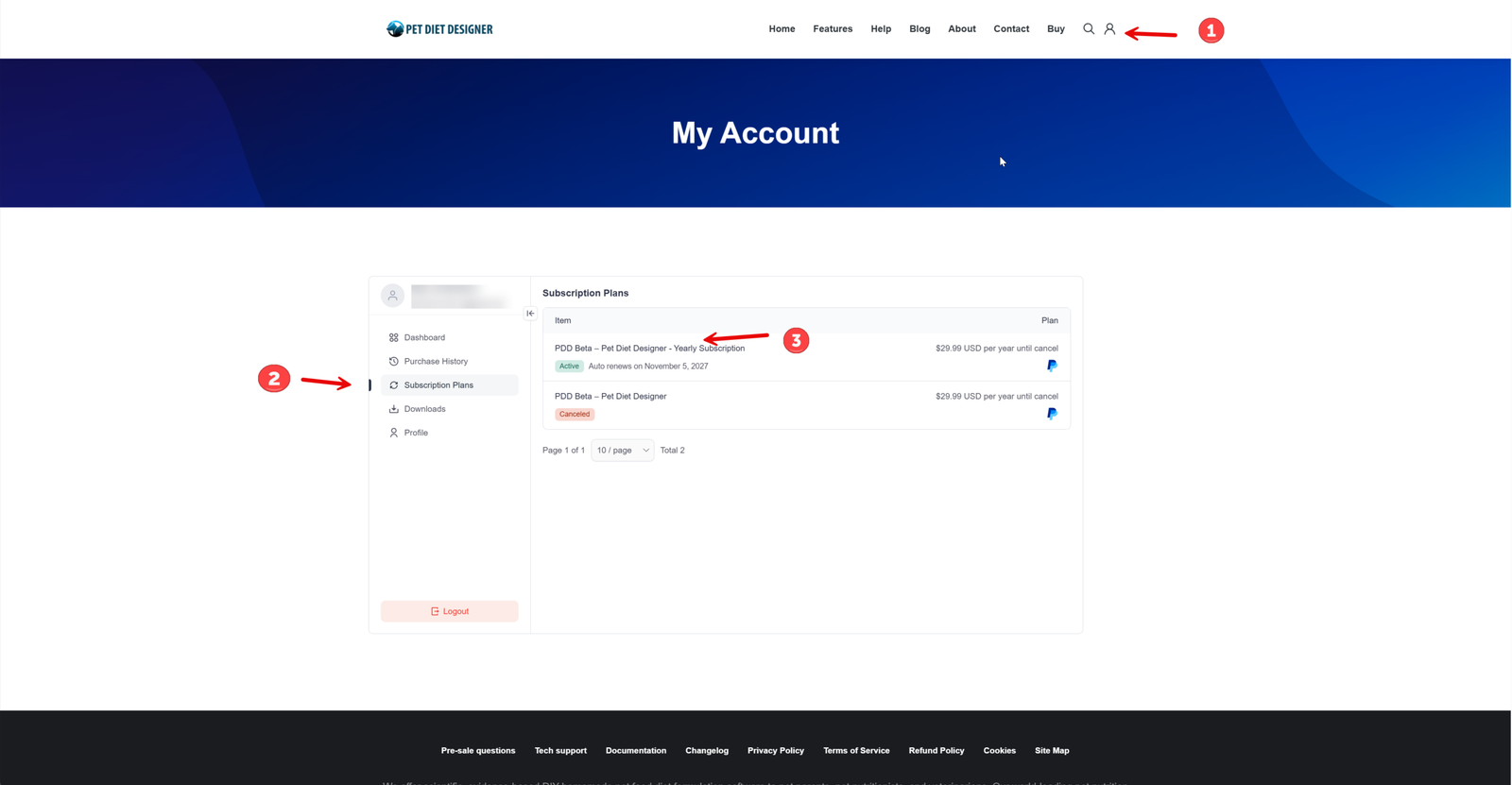
Step 1: To cancel a subscription, first log in to the website with your username/email and password by clicking the person icon on the far right side of the menu. You will be taken to the “My Account” dashboard.
Step 2: Click “Subscription Plans” on the left vertical menu.
Step 3: Click the product link that you want to cancel.
See the image below.
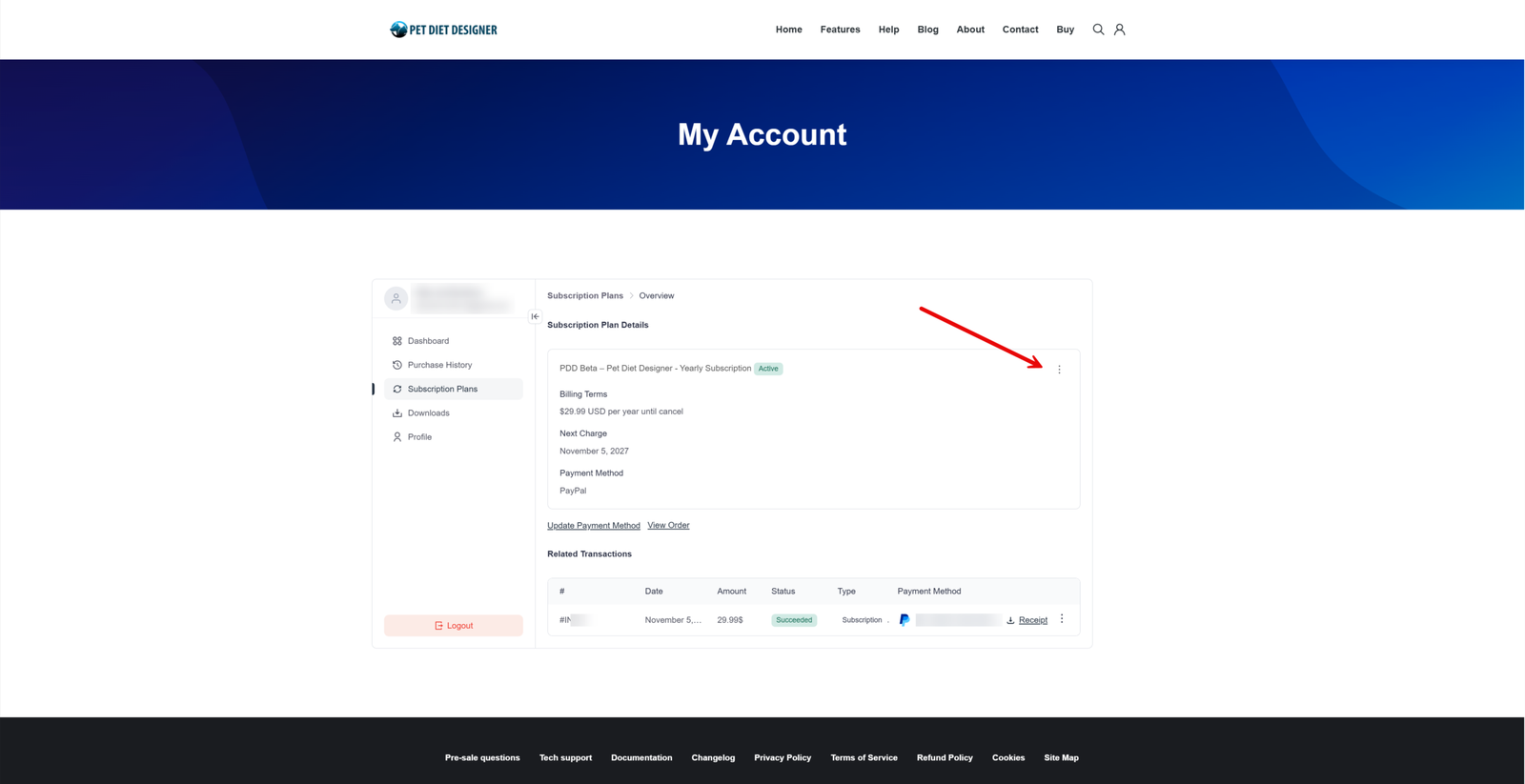
Click the three-dots menu (aka the meatballs menu) at the top-right corner of the Subscription Plans > Overview page.
See the image below.
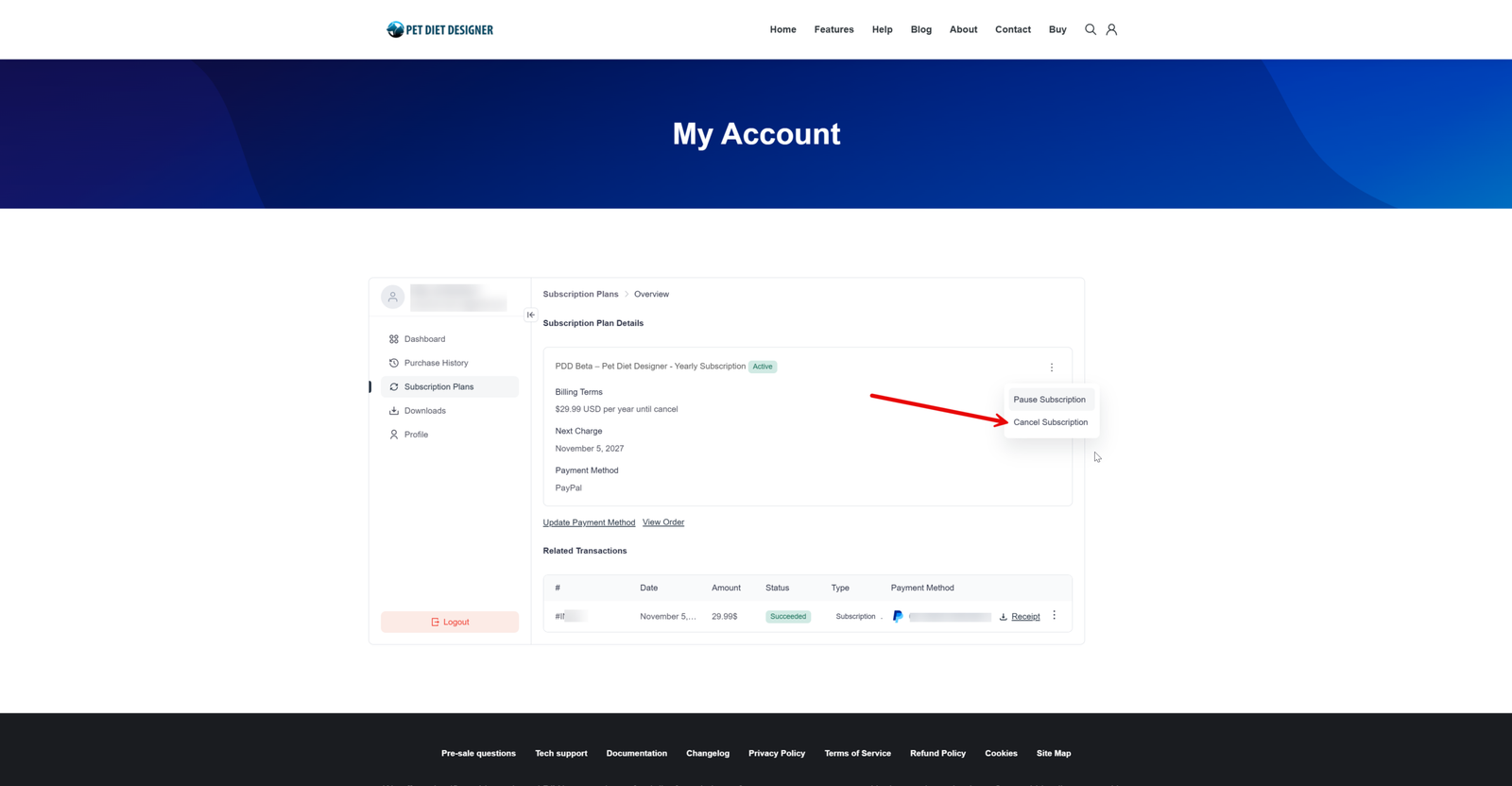
From the pop-up menu, select “Cancel Subscription”.
See the image below.
2 ratings
| 5 Stars | 0% | |
| 4 Stars | 100% | |
| 3 Stars | 0% | |
| 2 Stars | 0% | |
| 1 Stars | 0% |